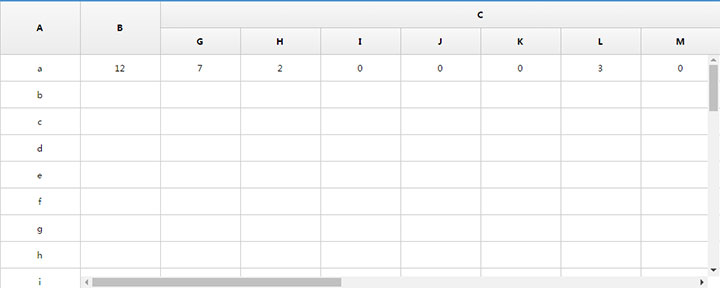




这是一款类似Excel滚动拖拖到表格内容展示预览效果的jQuery仿Excel表格右侧与头部固定代码。
js代码
<script type=\"text/javascript\" src=\"js/superTables.js\"></script>
<script type=\"text/javascript\">
	//此处调用superTables.js里需要的函数
	window.onload=function(){
		new superTable(\"demoTable\", {cssSkin : \"sDefault\",
			fixedCols : 1, //固定几列
			headerRows :2,  //头部固定行数
			onStart : function () {
			   this.start = new Date();
			},
			onFinish : function () {
			}
		});


		$(\"#div_container\").css(\"width\",\"1000px\");//这个宽度是容器宽度,不同容器宽度不同
		$(\".fakeContainer\").css(\"height\",\"400px\");//这个高度是整个table可视区域的高度,不同情况高度不同

		//.sData是调用superTables.js之后页面自己生成的  这块就是出现滚动条 达成锁定表头和列的效果
		$(\".sData\").css(\"width\",\"885px\");//这块的宽度是用$(\"#div_container\")的宽度减去锁定的列的宽度
		$(\".sData\").css(\"height\",\"325px\");//这块的高度是用$(\"#div_container\")的高度减去锁定的表头的高度

		//目前谷歌  ie8+  360浏览器均没问题  有些细小的东西要根据项目需求改

		//有兼容问题的话可以在下面判断浏览器的方法里写
		if(navigator.appName == \"Microsoft Internet Explorer\" && navigator.appVersion.match(/9./i)==\"9.\")
		{//alert(\"IE 9.0\");

		}else if (!!window.ActiveXObject || \"ActiveXObject\" in window){//alert(\"IE 10\");

		}else{//其他浏览器
			//alert(\"其他浏览器\");
		}
	}

</script>






暂无评论内容